Your team can now answer customers live, from the dashboard or Slack. Supervisors see every chat as it happens.
See howBuild intelligent assistants in minutes, not months
Give your customers a chat, voice and WhatsApp assistant that actually knows your business: trained on your docs, able to look up orders and read the screenshots customers send, with your team joining live when it matters.
Works with the tools you already use
- Shopify
- Stripe
- Razorpay
- Zendesk
- Slack
- OpenAI
- ElevenLabs
- Vapi
- Deepgram
- Chat, voice and WhatsApp in one assistant
- Answers from your docs, with sources
- Reads screenshots and PDFs
- Your team joins live, even from Slack
Product tour
Everything your team needs, in one place
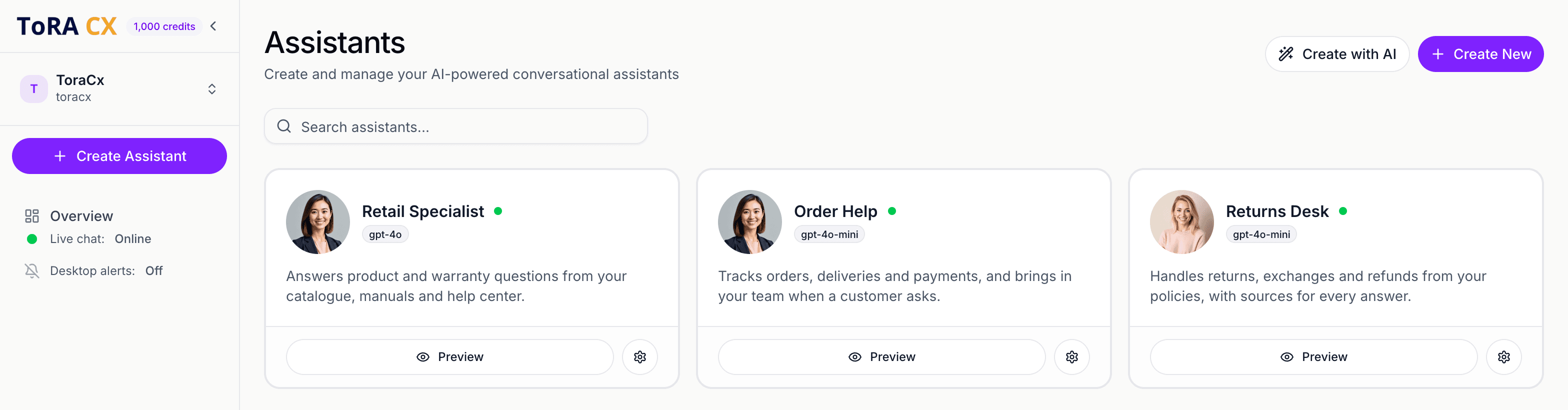
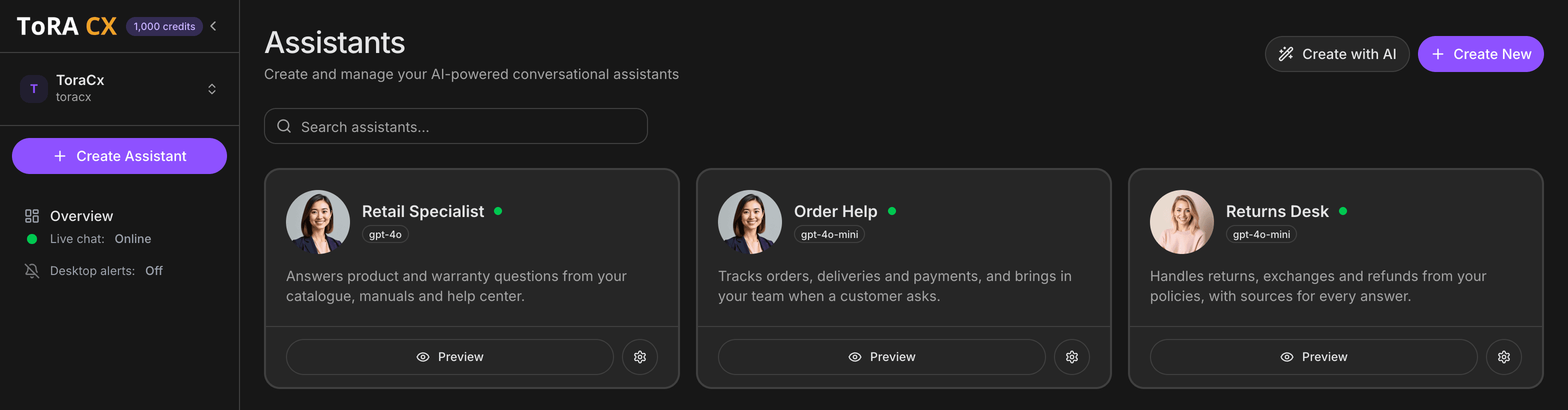
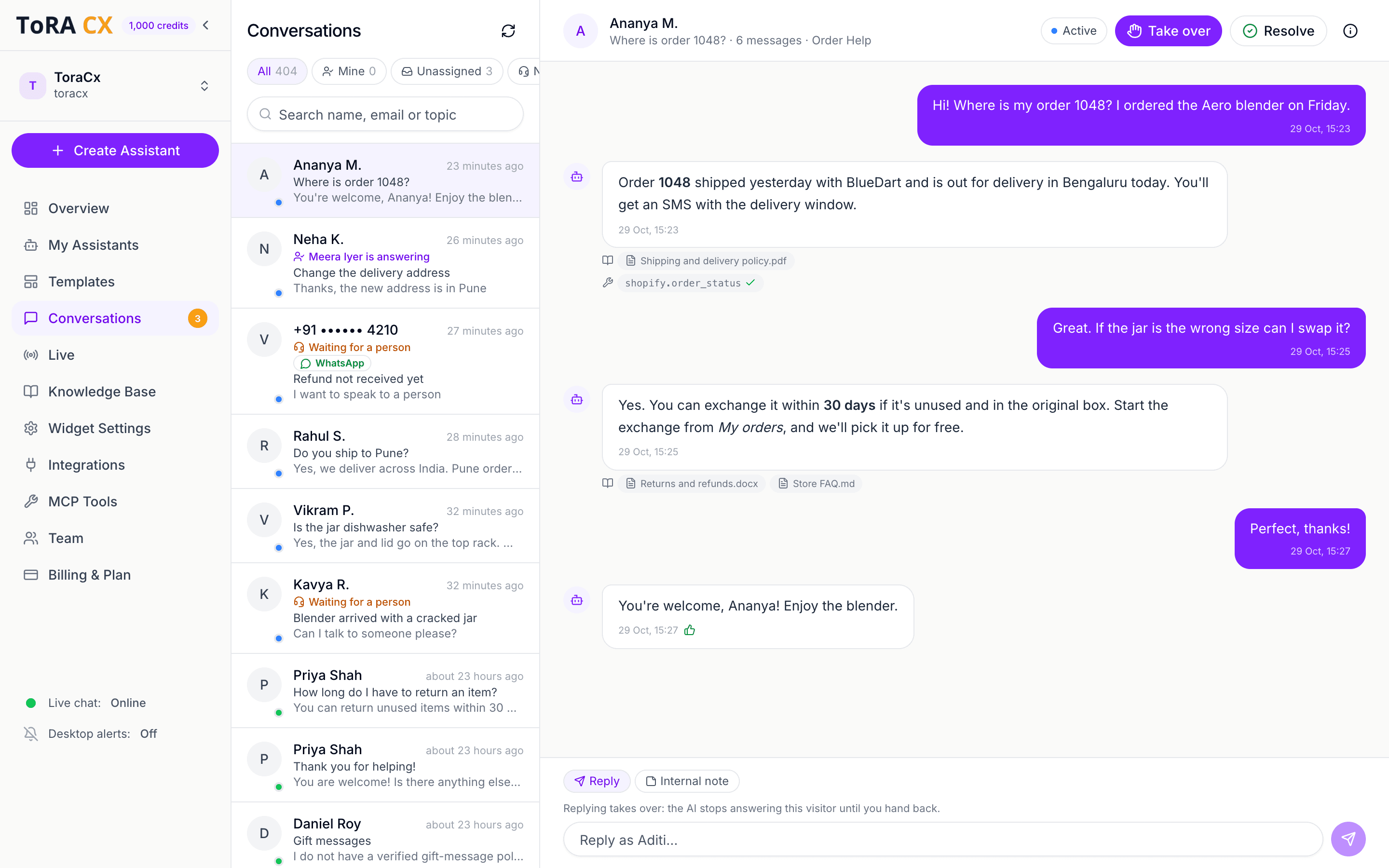
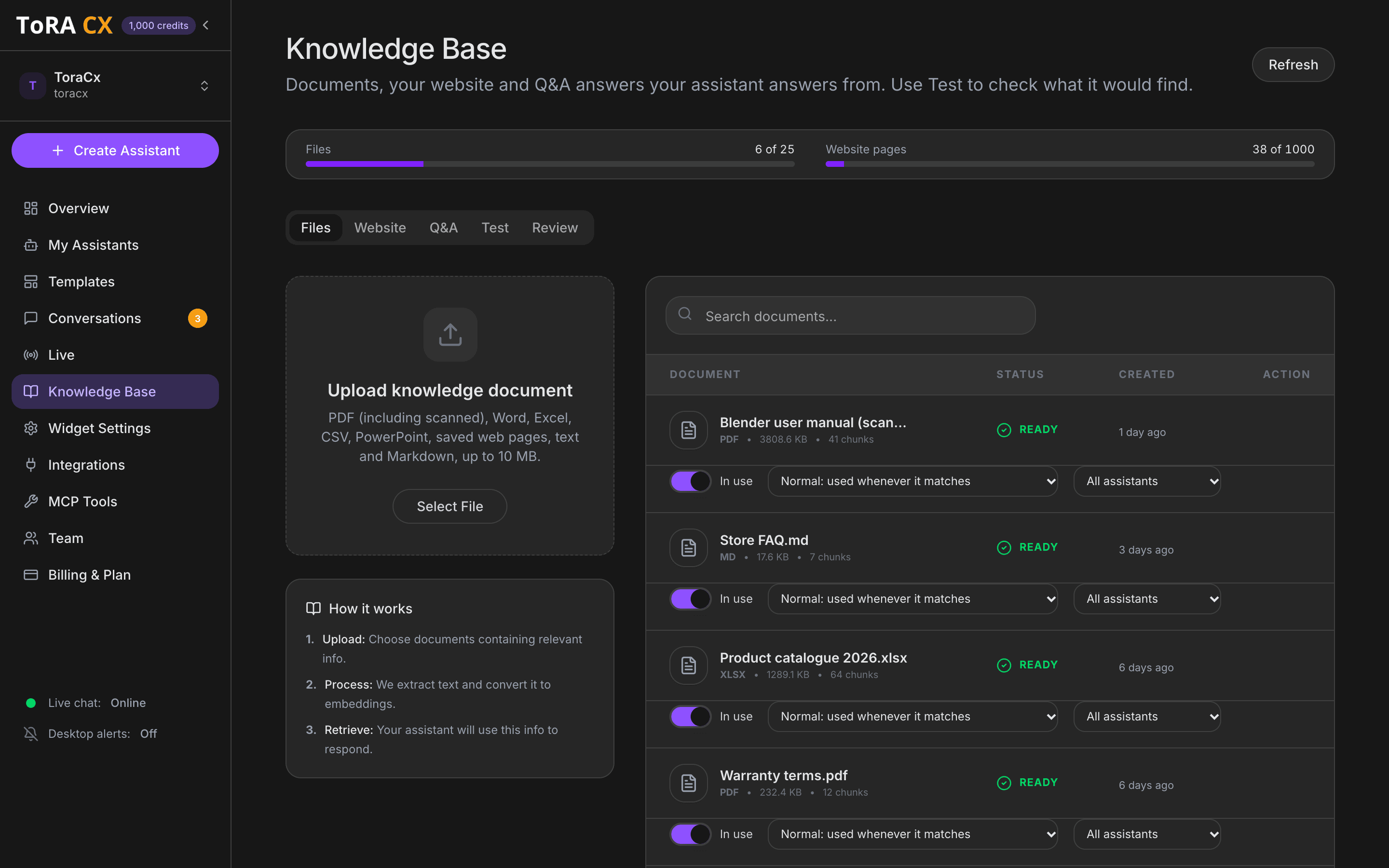
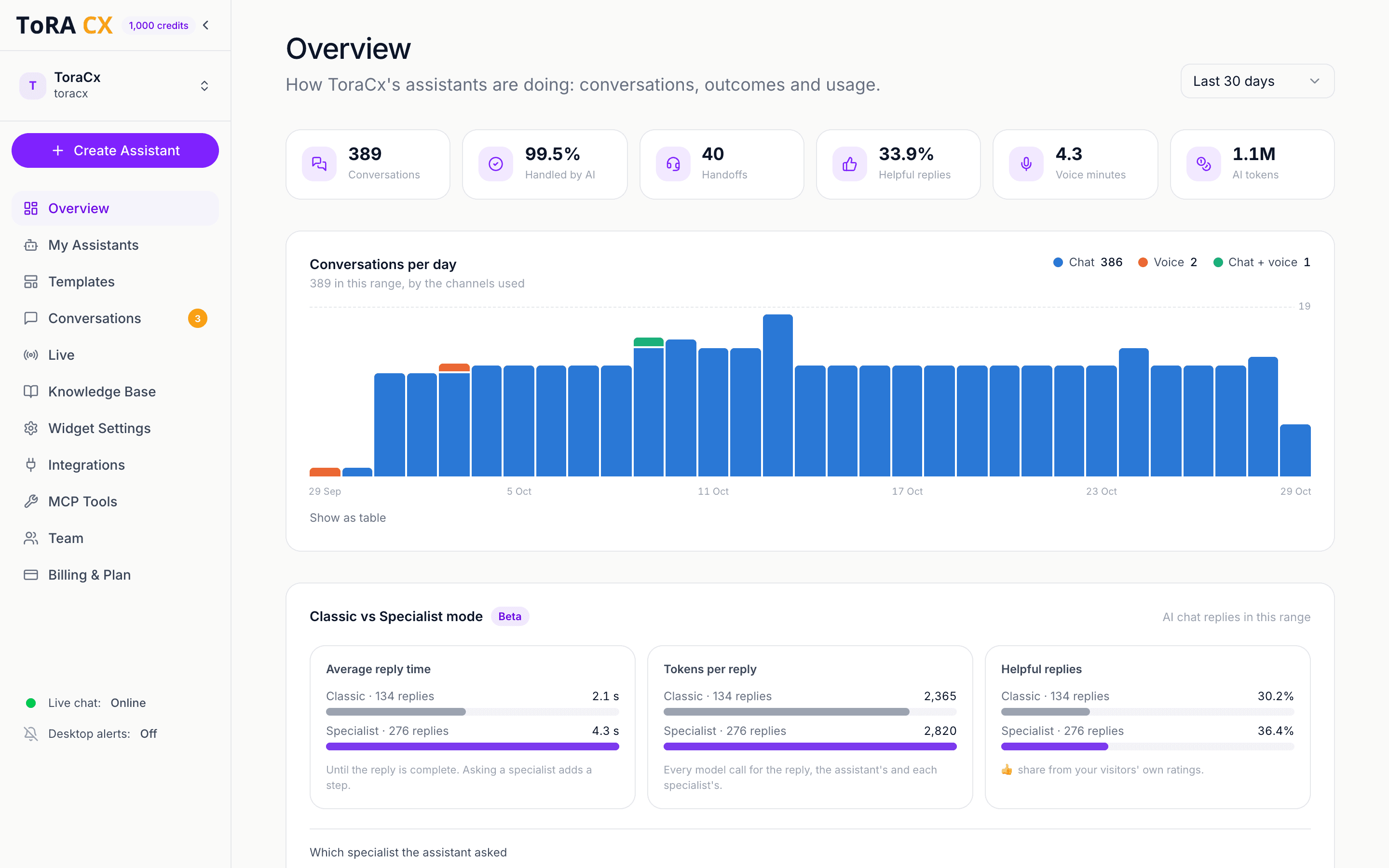
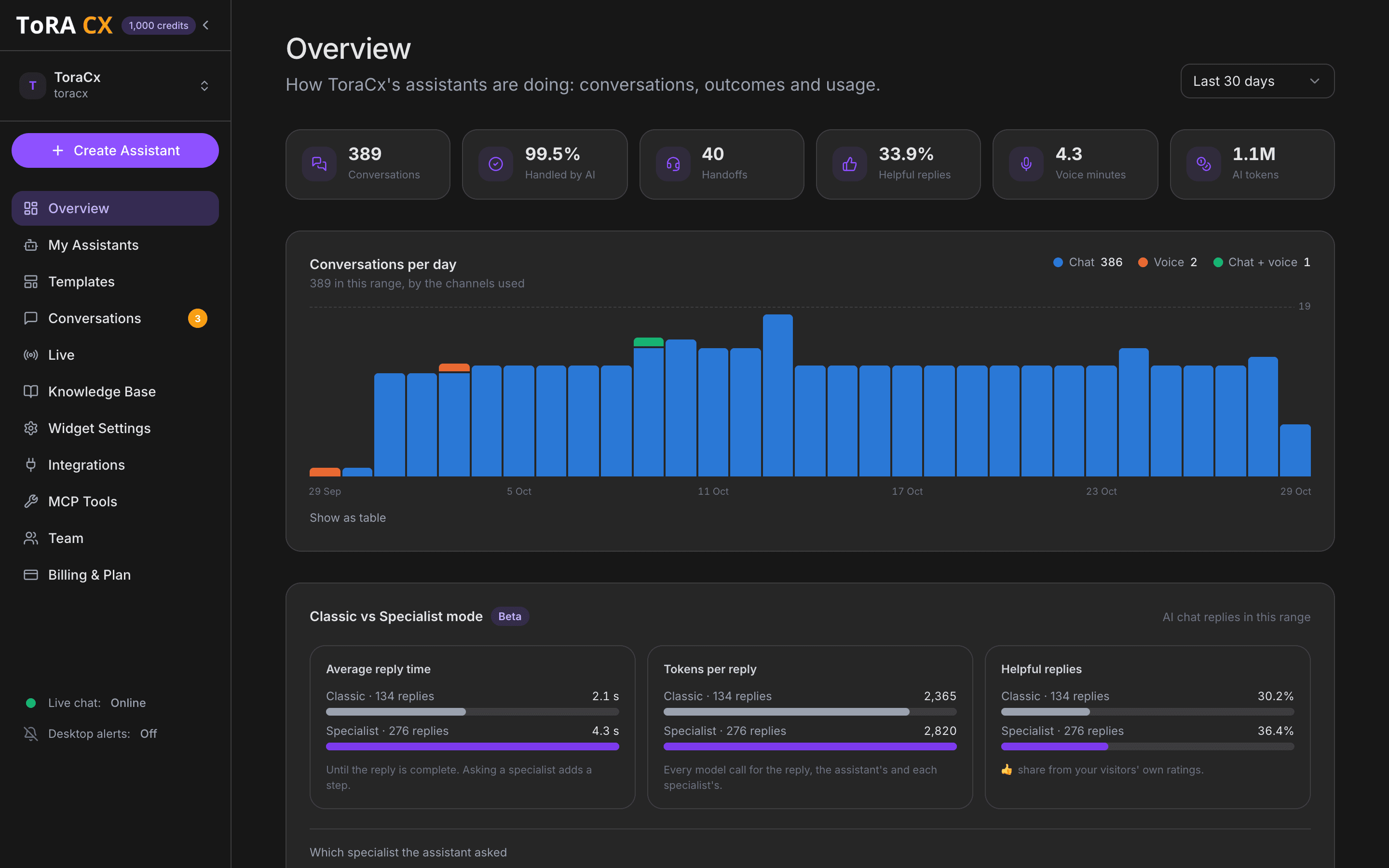
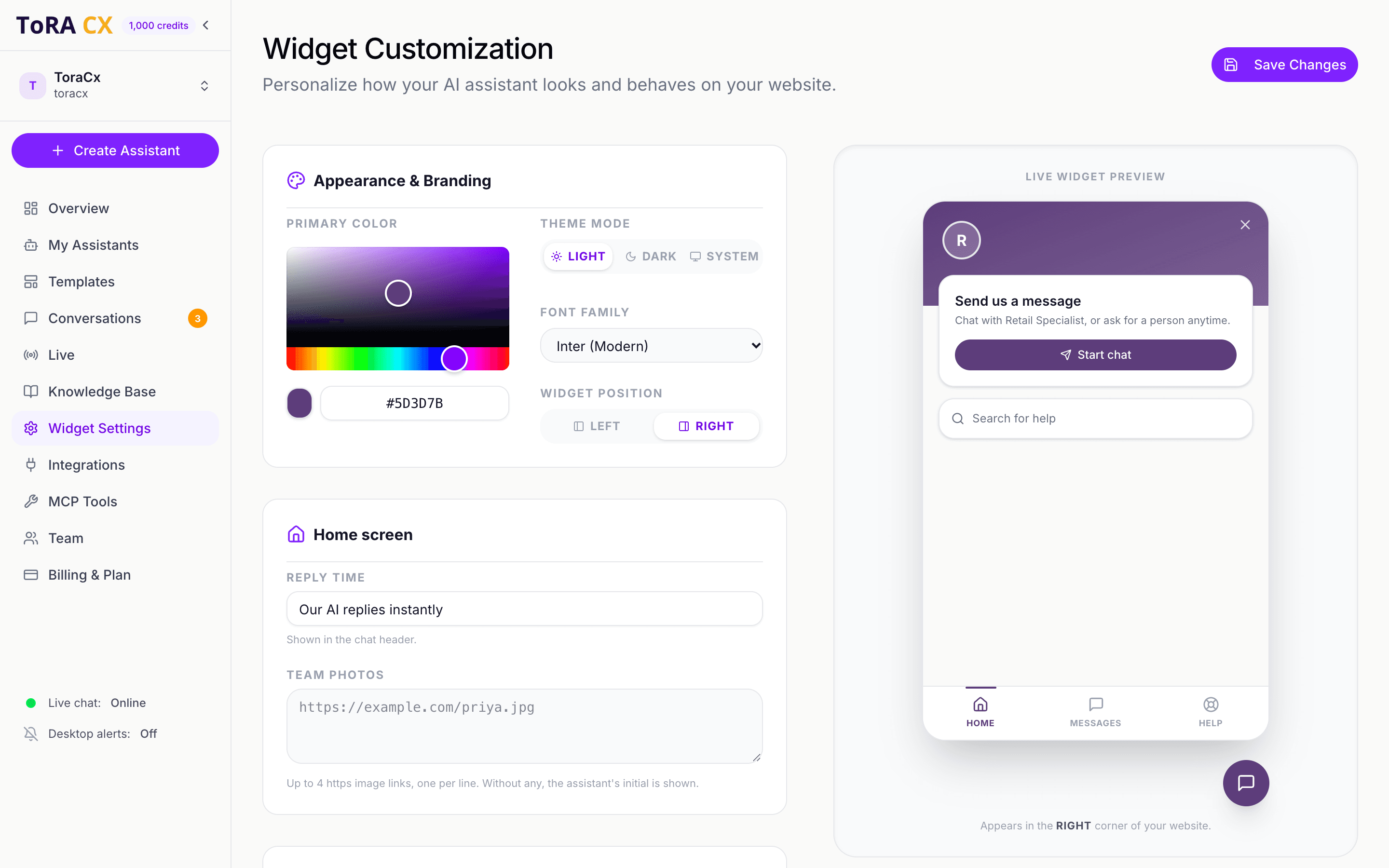
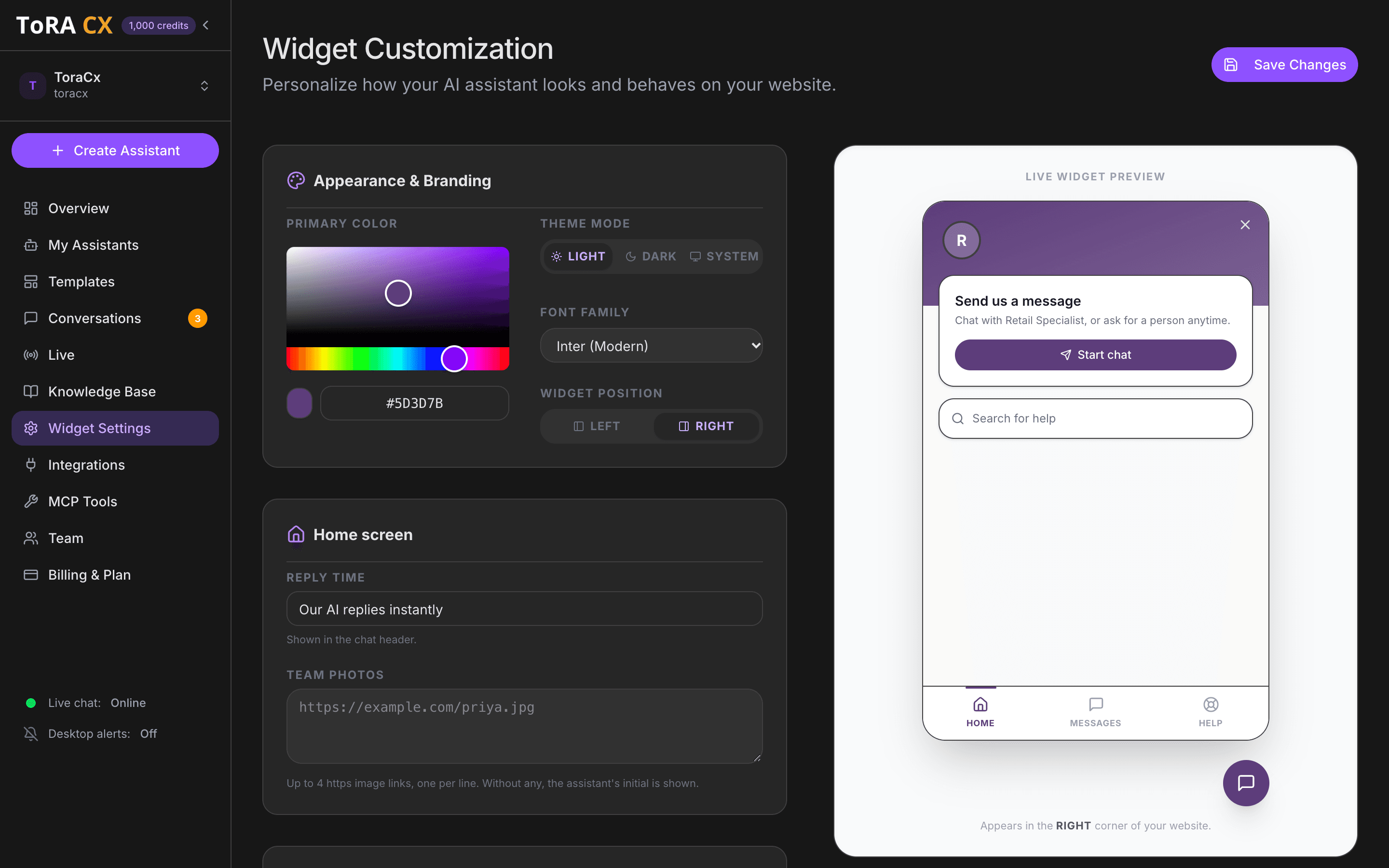
A look at the dashboard your team works in: real screens, from a demo store.
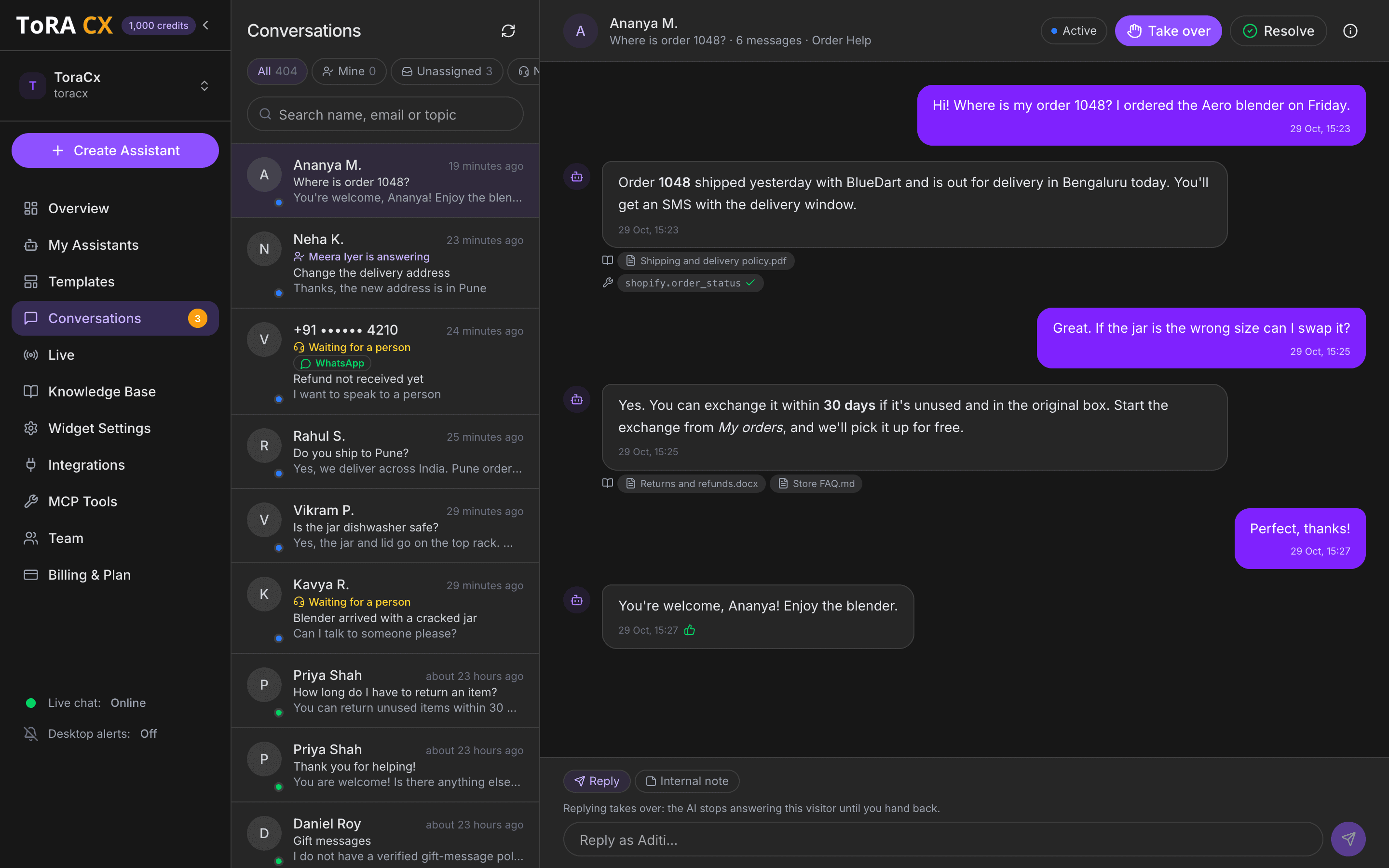
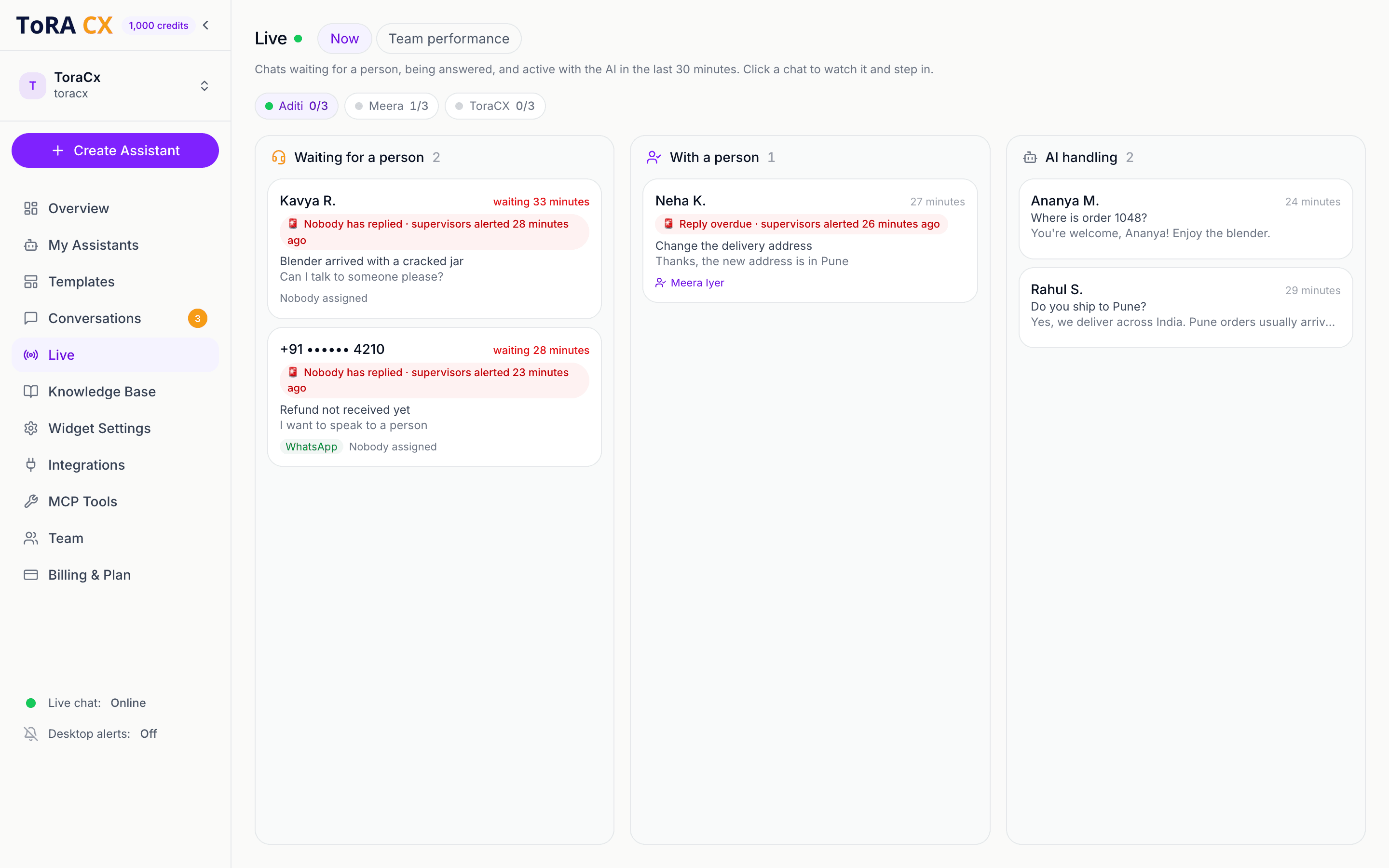
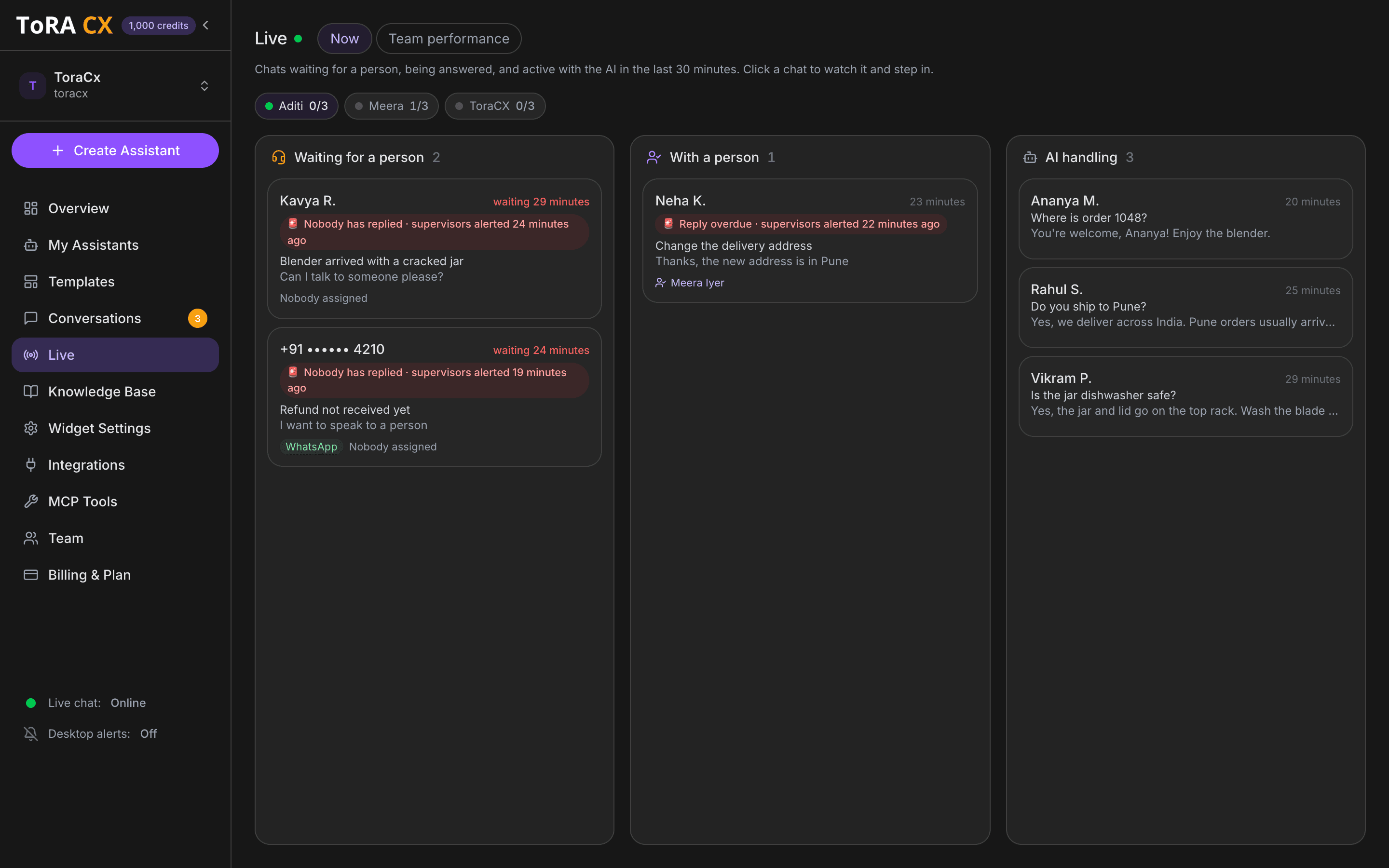
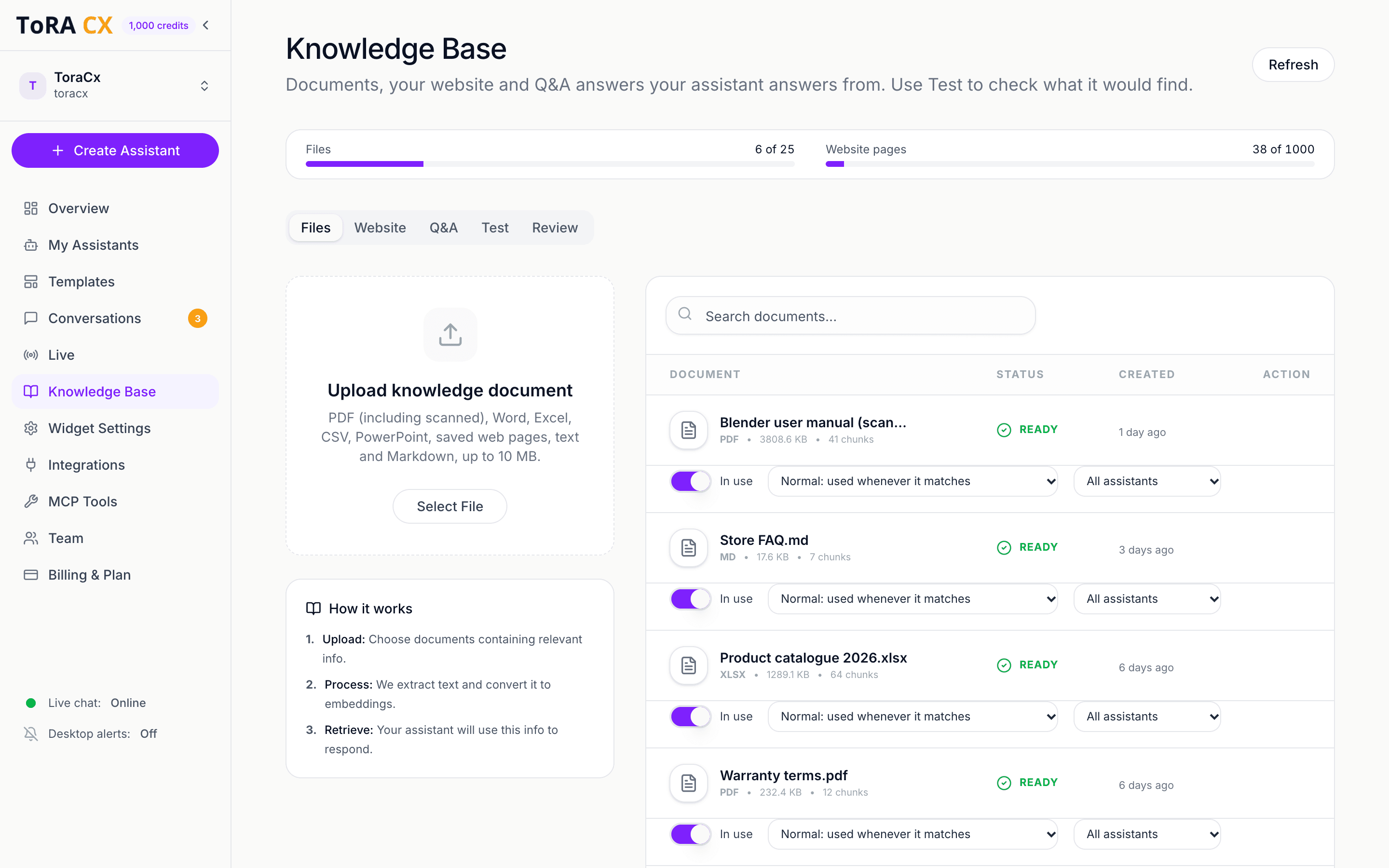
Every conversation in one place, with the documents and tools behind each AI reply. Take over any chat in one click.
Use cases
One assistant, built for your team
Point it at your docs and knowledge base, and it adapts to whatever your team needs it to handle.

Customer support
Resolve common questions instantly and hand off the rest to your team.
- Troubleshooting & FAQs
- Reads error screenshots
- Live handoff to your team

Sales & qualification
Engage prospects the moment they land, and qualify them before a human joins.
- Product questions
- Lead qualification
- Demo booking

HR & internal helpdesk
Answer policy and onboarding questions without pulling HR into every thread.
- Policy lookups
- Onboarding guidance
- Benefits questions

E-commerce
Help shoppers find the right product and track orders without leaving the chat.
- Order status from Shopify
- Reads invoices and receipts
- Returns & exchanges
Features
More than a chatbot
A full support messenger on your site: it reads what customers send, checks real orders, and knows when to bring in your team.
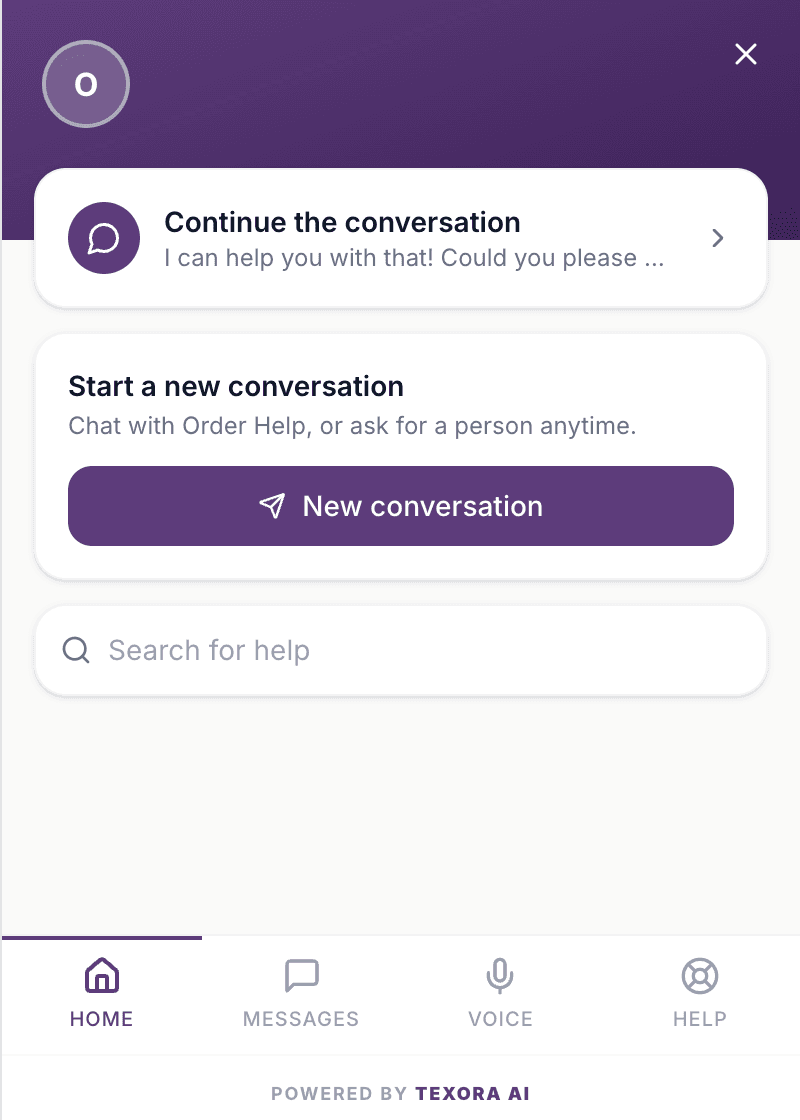
A customer question, answered from a screenshot
Order Help
Our AI replies instantly
- Hi! How can I help?
- Why does my checkout keep failing?
Checkout failed
Error code: PAY-4021
Card declined by issuer (insufficient funds)
PAY-4021 means your bank declined the card for insufficient funds. Try a different card, or check with your bank and then retry the checkout.
For your customers
Reads screenshots & PDFs
Customers attach an error, an invoice or a photo, and the assistant answers from what's in it.
Looks up orders & payments
Shopify orders, Stripe and Razorpay payments, Zendesk tickets. Anything that changes data waits for the customer to confirm.
1–3 connections by planHelp search
Visitors search your knowledge base from the widget and turn any result into a question.
Answers on WhatsApp too
The same assistant answers on your WhatsApp Business number, and your team replies from the same inbox.
Every plan
For your team
Learns your website
Point it at your site. It reads the pages into its knowledge and re-syncs them every week.
Shows its sources
Answers name the document they came from, and your inbox shows the documents and tools behind every AI reply.
Review your chats
See what it couldn't answer or what your team corrected, and approve suggested Q&A drafted from your own documents.
Owners and admins
Chats survive page reloads, and past conversations are one tap away. Make it yours from Widget Settings: your colours, light or dark, a home screen with your team's photos, and an optional greeting bubble.
Multi-agent AI · Specialist mode (beta)
One assistant. A team behind every answer.
Let your assistant call on specialists for orders and human handoffs, while keeping the whole conversation in one familiar voice.
Customer
Where's order 1048? And can someone help me add a gift note?
Your assistant
Searched your knowledge base
Orders specialist
shopify.order_status
Shipped · arrives Thursday
Handoff specialist
Offers “Talk to a person”
Your assistant replies, in one voice
Order 1048 shipped and arrives Thursday. For the gift note, tap Talk to a person and our team will help. Talk to a person
Your assistant leads
Searches your knowledge base, brings in specialists when needed, and writes every customer reply in your brand's voice.
An orders specialist checks
Uses your connected tools to look up orders, payments and tickets. Actions that change data wait for the customer's confirmation.
A handoff specialist helps
When live handoff is enabled, offers a “Talk to a person” button so the customer can bring your team into the conversation.
Turn on Specialist mode in your assistant settings. Available for text chat; specialists use the tools and handoff options you enable.
Live team
Your team, live in every chat
The AI answers first. When a customer needs a person, your team picks it up in real time, from the dashboard or from Slack.

Order Help
Our AI replies instantly Meera is answering
- My blender arrived with a cracked jar.
So sorry about that! A cracked jar is covered by your warranty. Want me to bring in someone from the team?
Talk to a person- Meera joined the chat
Meera · Team
Hi Kavya, Meera here. I've set up a free replacement, and it ships tomorrow.
That was quick, thank you!
Seen
For everyone on your team
Anyone in your workspace can answer customers in real time.
- Take over any chat, then hand it back to the AI when you're done
- Typing indicators and “Seen”, both ways
- Answer from Slack: every chat that needs a person gets its own thread, and replies reach the customer live
- Reply to WhatsApp customers from the same inbox, within WhatsApp's 24-hour reply window
- Internal notes the customer never sees
- Online and Away, so new chats only go to people who are there
For supervisors
A Supervisor role to watch every chat and step in.
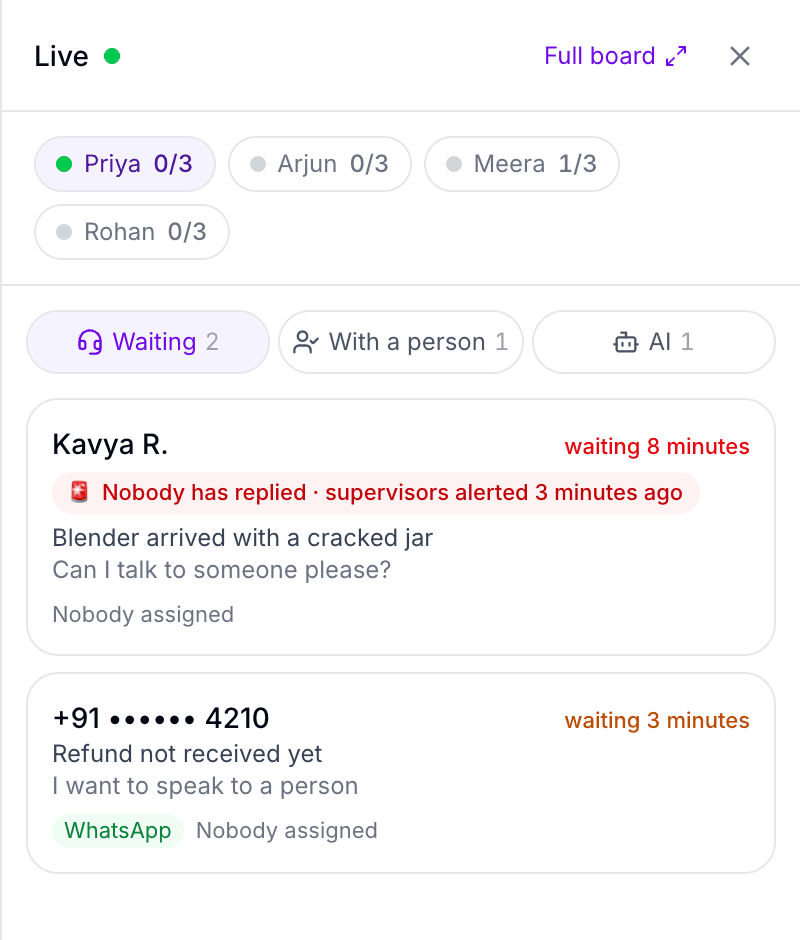
- A live board: who's waiting, who's answering what, and what the AI is handling
- Reply to the customer yourself from the Live board, or whisper to whoever is answering without the customer seeing it
- New chats assigned automatically, by how many each person already has
- Alerts when a customer waits too long or a reply is late
- Team performance: chats handled, first reply and handling time per person
- The Live panel on every dashboard page, and on your own sites with one script tag
How it works
From zero to deployed in three steps
- 01
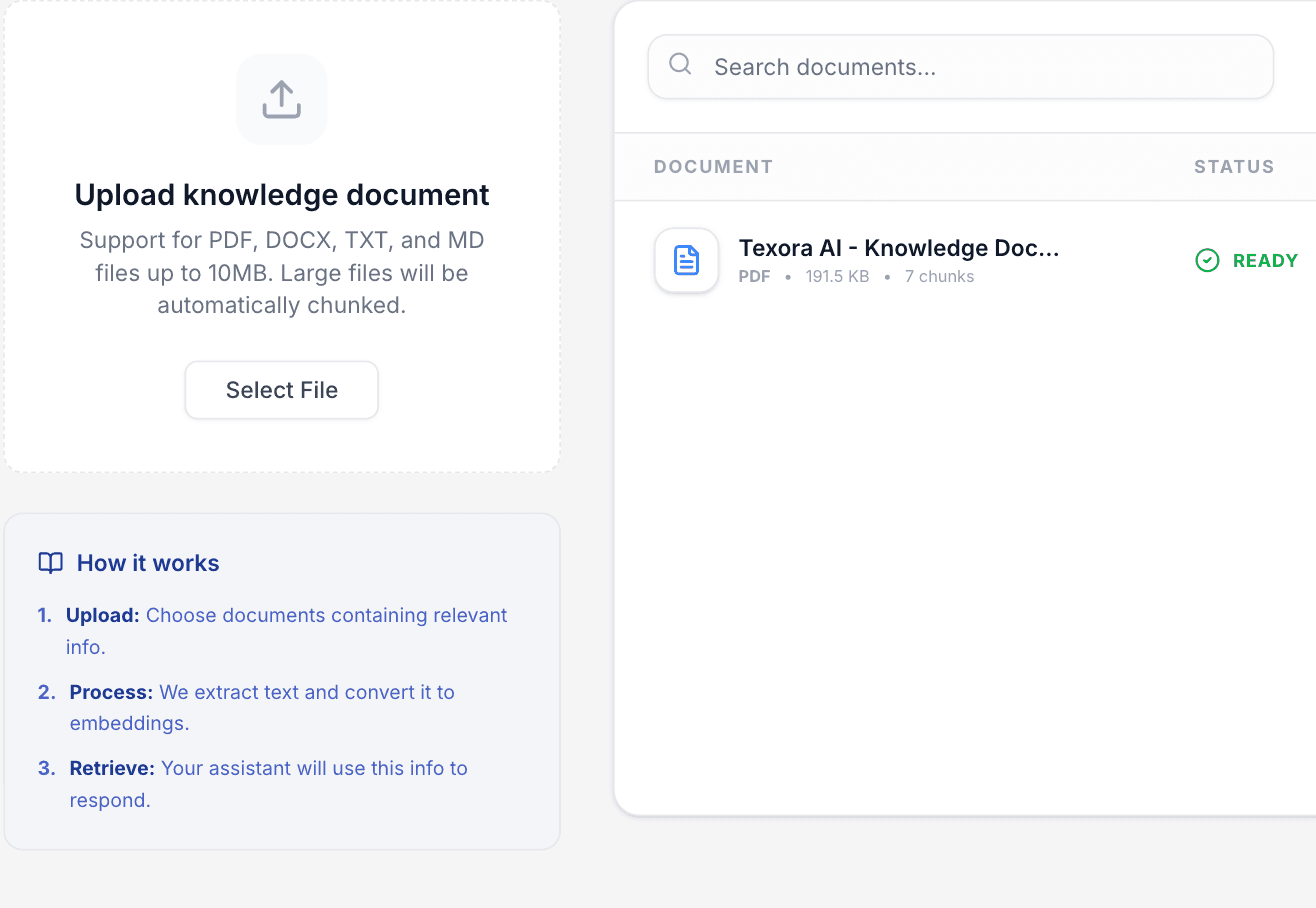
Add your knowledge
Upload PDFs, Word, Excel, CSV, PowerPoint or HTML files, add Q&A answers, or crawl your website. Test questions before you go live. The assistant grounds every answer in what you give it.
- 02
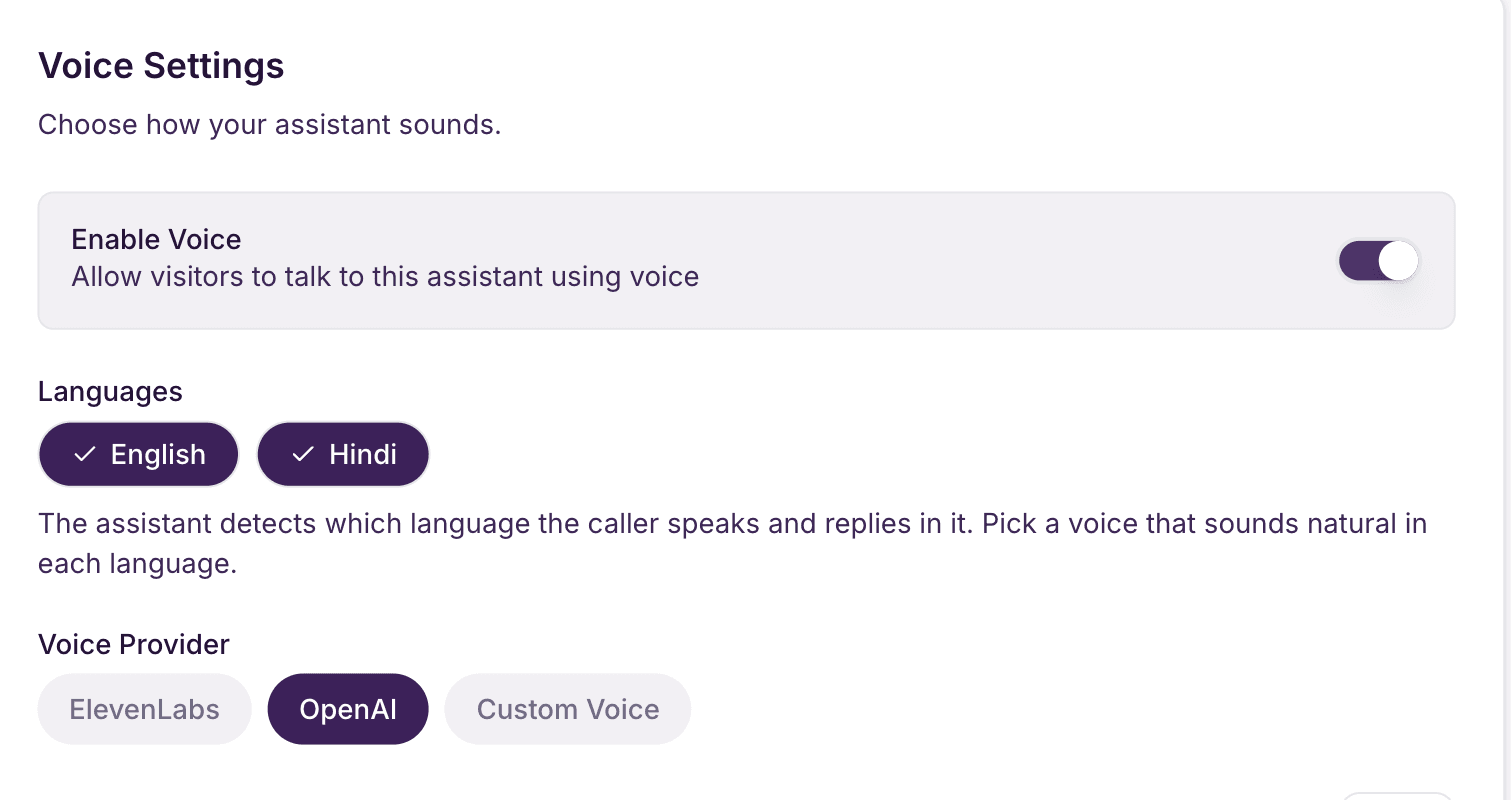
Customize the persona
Set the name, greeting, voice, languages and tone. Choose GPT-4o or GPT-4o Mini depending on how much speed vs. quality you need.
- 03
Deploy with one script tag
Paste a single line into your site and it's live — chat and voice, no backend work on your end.
index.html<script src="https://widget.toracx.texora.ai/widget.js" data-organization-id="YOUR_ORG_ID" data-api-key="YOUR_API_KEY"> </script>
Voice AI
Not just chat — real conversation
Every assistant can take real-time voice calls. Customers talk, it listens and answers naturally — from the same knowledge base, with the same persona, in English or Hindi.
- Natural, low-latency voice conversation
- Understands and replies in English and Hindi
- Answers from your uploaded documents
Press play on a sample to hear it
- Customer supportEnglish
“Sure! You can reset your password from the sign-in page. Just tap Forgot password, and we'll email you a link.”
- Order trackingहिन्दी · Hindi
“नमस्ते! आपका ऑर्डर कल शाम तक पहुँच जाएगा। क्या मैं आपकी किसी और चीज़ में मदद कर सकती हूँ?”
- Sales & demosEnglish
“Our Starter plan includes five assistants and voice calls. Shall I book you a quick demo this week?”
Analytics
Know how your assistant is doing
An Overview page for your workspace shows what customers ask, how it ends, and what it costs.
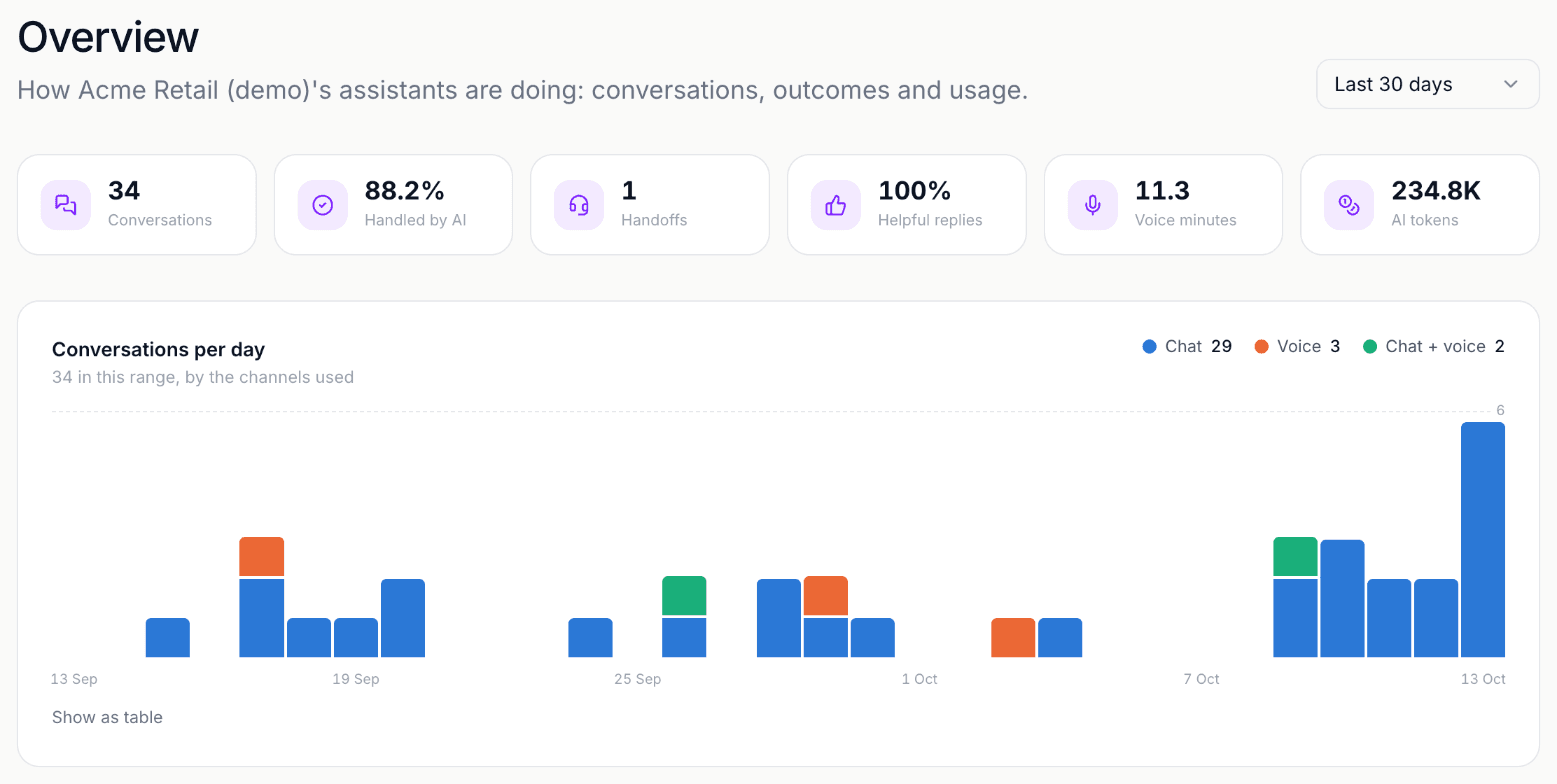
- Conversations per day, split by chat and voice
- How often customers asked for a person
- Helpful-reply rate from customers' 👍 and 👎
- AI token and voice-minute usage
- A “Needs a human” queue in your inbox, oldest first
- The questions your assistant couldn't answer, and a review that suggests Q&A answers for them
- Team performance: chats handled, first reply and handling time per person
Pricing
Simple pricing, no surprises
Start free. Upgrade when you need more seats or assistants.
Free
$0forever
- 1 seat
- 80 conversations per month
- 1 assistant
- 1 knowledge document
- 1 tool connection
- Chat widget
- Voice assistants
- API integrations
- Order & payment lookups (Shopify, Stripe, Razorpay, Zendesk)
- Custom branding
- Priority support
Starter
$10/month
- 10 seats
- 1,000 conversations per month
- 5 assistants
- 10 knowledge documents
- 2 tool connections
- Chat widget
- Voice assistants
- API integrations
- Order & payment lookups (Shopify, Stripe, Razorpay, Zendesk)
- Custom branding
- Priority support
Growth
Most popular$20/month
- 25 seats
- 10,000 conversations per month
- 20 assistants
- 25 knowledge documents
- 3 tool connections
- Chat widget
- Voice assistants
- API integrations
- Order & payment lookups (Shopify, Stripe, Razorpay, Zendesk)
- Custom branding
- Priority support
Deploy anywhere
One script tag. That's it.
No SDK to install, no backend to run. Generate a key from your dashboard, paste this before </body>, done.
<script src="https://widget.toracx.texora.ai/widget.js"
    data-organization-id="YOUR_ORG_ID"
    data-api-key="YOUR_API_KEY">
</script>- Real chat widget, live on your site in minutes
- Opens as a full-height panel beside your page, full screen on phones
- Matches your assistant's branding and persona automatically
- Every session is authenticated — no impersonating another org's widget
This page is running the real widget
It's the exact same script shown here, live in the corner of your screen.
For supervisors
The Live panel, on your team's own sites
A second script tag puts the supervisor widget on your intranet, CRM or help desk: who's waiting, who's answering what, and the same take over, whisper and assign as the dashboard.
<script src="https://toracx.texora.ai/supervisor.js"
    data-organization-id="YOUR_ORG_ID">
</script>- No key in the snippet: it shows nothing until a supervisor signs in
- Opens as a full-height panel, just like the chat widget
- One sign-in lasts a shift, and only works for the Live panel
Ready to give your customers a better assistant?
Free plan, no credit card required. Live on your site in minutes.